Design process
UX Design For Developers: Principles And Patterns For Better Products
10 min
Posted on:
Updated on:

written by

Stan Murash
Writer
reviewed by
Most developers only think about UX design after users start getting confused.
The feature works. The code is solid. But people struggle to navigate the product, onboarding feels messy, or key actions are hard to find.
That’s because users don’t experience your code — they experience your interface.
The good news is developers don’t need to become designers. But understanding a few UX principles and essential design patterns for developers can dramatically improve the products you build.
We see this often when working with early-stage teams at Tribe. Strong engineering teams ship powerful products, but small UX issues quietly slow adoption.
This guide covers the minimum UX design knowledge developers need to build products that feel intuitive and usable — without becoming full-time designers.
Why UX Design Matters For Developers
Developers build products — not just features
It’s easy to think of development as implementing features:
authentication
dashboards
APIs
integrations
But users never interact with “features.” They interact with interfaces and flows.
If the interface makes those features hard to understand, the feature effectively doesn’t exist.
A brilliant backend with confusing UX is like a Ferrari with the steering wheel in the trunk.
UX problems become product problems
Most founders initially interpret UX problems as product or market issues.
Typical symptoms:
users don’t complete onboarding
dashboards feel overwhelming
users ask basic questions repeatedly
features go unused
But often the underlying problem is simply that the interface doesn’t guide users properly.
UX design helps answer questions like:
What should the user see first?
What is the primary action?
What information matters most?
Without those answers, users get lost.
Good UX reduces support and friction
Every confusing interface creates invisible costs:
support tickets
onboarding calls
documentation overhead
frustrated users
Good UX quietly eliminates these problems.
When users immediately understand how something works, they move faster, ask fewer questions, and trust the product more.
That’s why UX isn’t just a design discipline — it’s a product efficiency multiplier.
Early-stage startups need credibility
For startups especially, UX plays a major role in perceived credibility.
People subconsciously judge products based on visual clarity and interface quality.
If something feels clunky or outdated, users start questioning:
Is this product reliable?
Is this company legit?
Should I trust it with my data?
This is especially true in industries like AI, fintech, and Web3, where trust is already fragile.
A clean, understandable interface signals competence.
A messy one suggests risk.
This is why UX thinking is a core part of the broader startup design process — even when developers are doing most of the building.
What Developers Usually Get Wrong About UX
Developers are great at building systems. But UX design requires thinking about how humans experience those systems, which is a very different mindset.
Here are some of the most common UX mistakes developers make.
Designing for logic instead of humans
Developers naturally think in logic, states, and edge cases.
Users don’t.
A developer might structure an interface around how the system works internally. But users think in terms of tasks and outcomes, not architecture.
For example:
Developers think: database → API → state → UI
Users think: “How do I complete this action?”
Good UX hides complexity and surfaces only what users need in the moment.
Feature-heavy interfaces
When developers build products, every feature feels important.
The result is often interfaces with:
too many buttons
too many filters
too many settings
Users open the product and see ten different possible actions. That creates hesitation.
One of the biggest UX improvements you can make is simply prioritization:
show fewer things, but make the right thing obvious.
Ignoring the first-time user
Developers usually test software with full context. They already know:
what the product does
how it works
where things live
New users don’t have that context.
Without good UX, the first interaction often feels confusing. People don’t know where to start or what action matters most.
Clear onboarding and obvious primary actions solve most of these problems.
This is why interface clarity is just as important as the underlying website design and development strategy behind the product.
Overcomplicated onboarding
Another common mistake is building onboarding that tries to explain everything.
Long tours, multiple tooltips, and dense instructions usually make things worse.
Good UX onboarding focuses on one goal: help the user achieve their first meaningful action as quickly as possible.
Once users succeed once, they can explore the rest of the product naturally.
UX Principles Every Developer Should Know
You don’t need to master UX theory to build good interfaces. But a few principles consistently separate products that feel intuitive from those that feel frustrating.
These are the UX fundamentals every developer should understand.
Clarity beats cleverness
Developers sometimes enjoy clever UI ideas — unique navigation, unusual layouts, creative interactions.
Users usually don’t.
When someone opens a product, they want to understand three things immediately:
Where am I?
What can I do here?
What should I do next?
If the interface makes people think too hard about these questions, friction appears.
Clear labels, obvious buttons, and familiar patterns almost always outperform clever designs.
Predictability wins.
Consistency builds trust
Consistency is one of the simplest ways to improve UX.
If the same action behaves differently in different places, users lose confidence quickly.
Common consistency mistakes include:
buttons changing style across pages
navigation behaving differently in sections
inconsistent terminology
For example:
If you call something Projects in one part of the product, don’t rename it Workspaces somewhere else.
Consistency reduces the amount users need to learn.
This is also why strong brand and interface consistency is foundational to good product design, as explained in this guide to branding for startups.
Hierarchy guides attention
Interfaces should guide users toward the most important action.
Without hierarchy, everything competes for attention.
Good hierarchy typically means:
one primary action
one or two secondary actions
supporting information around them
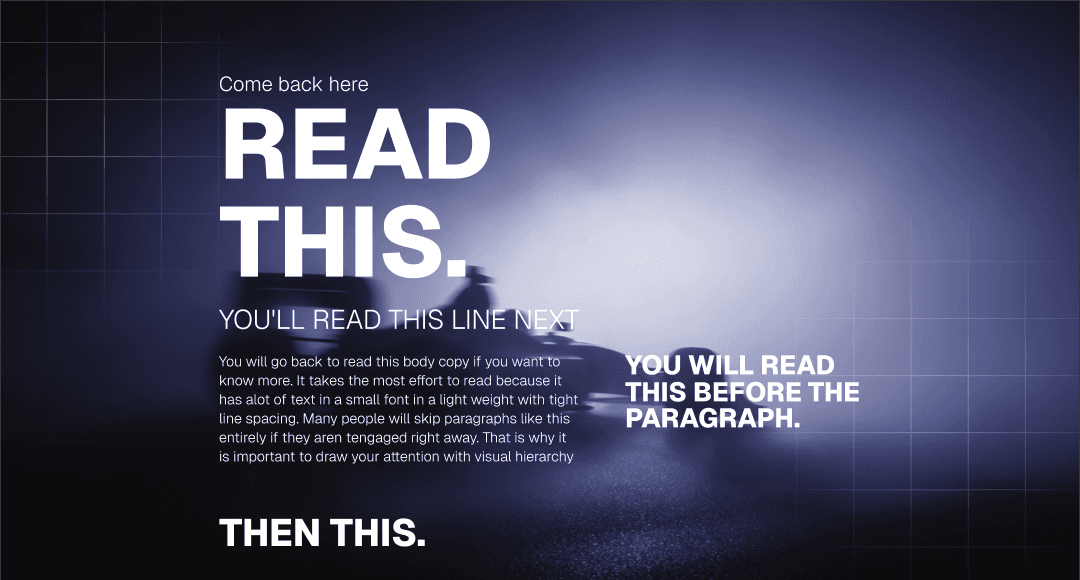
Developers sometimes create interfaces where every button looks the same size and weight. That forces users to scan and think more than necessary.
A clear visual hierarchy quietly tells users what matters most.
Feedback makes systems understandable
Good UX constantly communicates with the user.
When someone clicks something, the interface should respond immediately.
Examples of useful feedback include:
loading indicators
confirmation messages
success states
error explanations
Without feedback, users wonder if the product is working or broken.
This principle becomes even more important in complex applications like dashboards or internal tools.
Reduce user decisions
One of the fastest ways to improve UX is simply reducing decisions.
Too many choices slow users down.
Common examples:
long dropdown lists
multiple similar buttons
too many navigation items
overwhelming dashboards
Instead of showing everything at once, reveal complexity gradually.
This idea is sometimes called progressive disclosure, and it’s a core principle behind many essential design patterns for developers used in modern interfaces.
Good UX helps users move forward without needing to evaluate ten different options.
Fewer choices. Faster actions. Better experiences.
Essential Design Patterns For Developers
UX principles explain why good interfaces work. Design patterns show how they are actually implemented.
Design patterns are reusable solutions to common interface problems. Instead of inventing new interaction models every time, teams reuse patterns that users already understand.
For developers building products — especially MVPs — understanding a few essential design patterns for developers can dramatically improve usability without adding complexity.
Navigation patterns
Navigation is one of the first things users interact with. If people can’t quickly understand where things live, the product immediately feels confusing.
Some of the most common navigation patterns include:
Top navigation bars
Common for websites and simple SaaS tools. Best when there are only a few primary sections.
Sidebar navigation
Very common in dashboards and productivity tools. It works well for applications with many sections or nested features.
Tabs
Useful when switching between related views or categories within the same page.
The key rule: keep navigation predictable. Users shouldn’t have to search for core sections of your product.
Form and input patterns
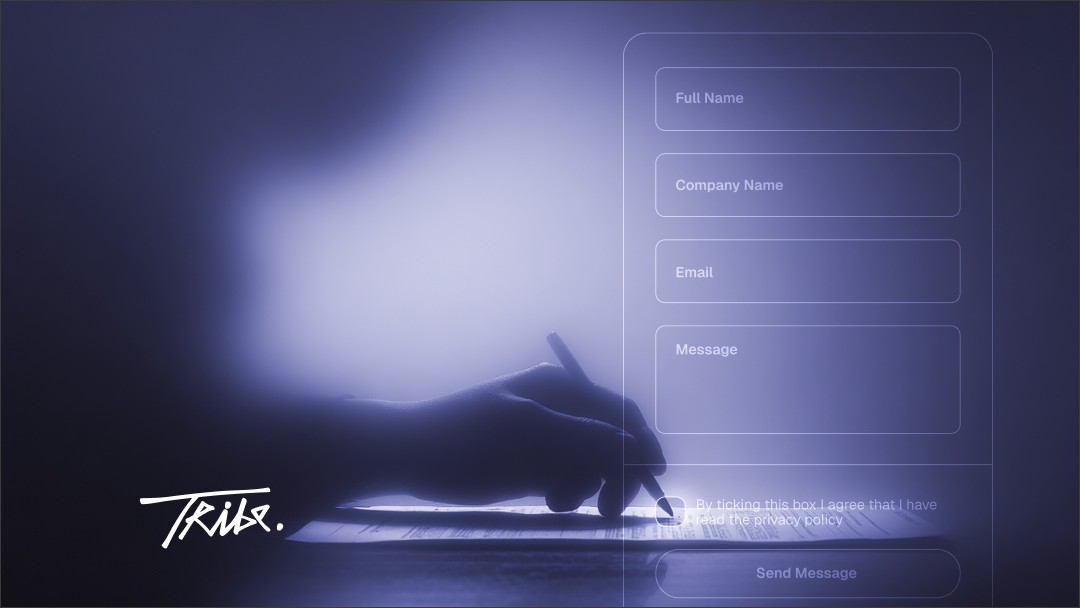
Forms are where users actively interact with your system — creating accounts, submitting data, configuring settings.
Bad forms create frustration fast.
A few patterns consistently improve usability:
clear field labels above inputs
inline validation instead of errors after submission
sensible default values
grouping related fields together
Small improvements here dramatically reduce friction in onboarding and setup flows.
Onboarding patterns
Every new product needs a way to help users get started.
But effective onboarding is rarely about long tutorials.
Common onboarding patterns include:
Progressive onboarding
Introduce features gradually as users interact with the product.
Checklist onboarding
Show users a short list of actions that help them reach their first success moment.
Empty state guidance
When a screen has no data yet, explain what the user should do next.
These patterns reduce confusion while letting users explore naturally.
Dashboard patterns
Many developer-built products eventually introduce dashboards.
Dashboards can easily become overwhelming because developers often surface every available metric.
Good dashboard patterns focus on:
key metrics first
clear visual hierarchy
actionable information
Instead of showing everything, highlight what helps users make decisions quickly.
Error and feedback patterns
Every product eventually produces errors — failed requests, missing data, permission issues.
Poor error handling leaves users confused. Good error UX helps them recover.
Effective patterns include:
clear error messages explaining what happened
suggested next steps
visible success confirmations after actions
These feedback patterns make products feel responsive and reliable.
Design patterns exist for a reason: users already understand them.
When developers rely on familiar patterns instead of inventing new ones, interfaces become easier to use — and products feel far more polished.
How Developers Can Improve UX Without Becoming Designers
You don’t need a design degree to make your product significantly easier to use. Most UX improvements come from a few practical habits — not advanced design skills.
Here are a few ways developers can improve UX immediately.
Copy good products
One of the fastest ways to improve UX is simply studying products that already work well.
Look at tools like:
Notion
Stripe
Linear
GitHub
Notice how they handle:
navigation
empty states
onboarding
dashboards
forms
These companies spend enormous time refining UX. Borrowing proven patterns is far safer than inventing new ones.
Good developers reuse reliable code patterns. Good product teams reuse reliable UX patterns.
Use design systems
Design systems help maintain consistency across interfaces.
Instead of designing each screen from scratch, teams reuse predefined components like:
buttons
forms
navigation elements
cards
modals
This approach improves both development speed and usability.
Many teams start with established systems such as Material Design or component libraries inside tools like Figma and Framer.
Understanding how design systems work also makes collaboration between developers and designers far smoother — something that becomes increasingly important as products grow and marketing assets start scaling, as discussed in this guide on marketing and design for startups.
Test with real users
Developers often test products alone or with teammates who already understand the system.
Real users behave very differently.
Even a simple usability test can reveal issues quickly:
ask someone unfamiliar with the product to complete a task
observe where they hesitate
notice what confuses them
You don’t need formal UX research to learn from this. Watching just a few people interact with your product can expose problems you would never notice yourself.
Start with simple wireframes
Before building complex UI, sketch the flow.
Wireframes don’t need to be beautiful. They simply help answer basic questions:
What appears first?
What action matters most?
What happens next?
Spending a few minutes thinking about the flow often saves hours of redesign later.
Developers who do this consistently ship interfaces that feel far more intentional.
When Developers Should Bring In a UX Designer
Developers can get surprisingly far with basic UX knowledge. Many early MVPs are built exactly this way.
But there’s a point where DIY UX starts slowing the product down.
Here are a few signals it’s time to bring in a designer.
Product complexity is increasing
Early products often have a few core screens:
onboarding
dashboard
settings
As the product grows, new features introduce more states, edge cases, and flows.
Without proper UX structure, interfaces quickly become cluttered. A designer helps organize these flows so the product stays intuitive as it scales.
You’re preparing for fundraising
Investors rarely evaluate products purely on technical architecture.
They evaluate clarity, credibility, and usability.
If your product feels confusing or unfinished, that affects perception — even if the underlying technology is strong.
A polished interface communicates maturity and trust.
User experience becomes a competitive advantage
In early stages, features matter most. Later, experience becomes differentiation.
When multiple products offer similar capabilities, the one that feels simpler and faster usually wins.
That’s where dedicated UX thinking starts paying real dividends.
Frequently Asked Questions

What is UX design for developers?
UX design for developers means understanding how users experience the interfaces developers build. It focuses on usability, navigation, and interaction patterns that make products intuitive.
Do developers need to learn UX design?
Developers don’t need to master UX design, but understanding core UX principles helps build products that users can navigate easily and trust.
What UX principles should developers know?
Some of the most important principles include clarity, consistency, visual hierarchy, feedback, and reducing unnecessary user decisions.
What are common UX mistakes developers make?
Developers often design for system logic instead of user behavior, overload interfaces with features, and underestimate the importance of onboarding and feedback.
What are UX design patterns?
UX design patterns are reusable solutions to common interface problems, such as navigation layouts, onboarding flows, form structures, and error handling.
Key Takeaways

Developers don’t need to become designers, but basic UX literacy dramatically improves products.
Users experience interfaces — not code architecture.
Clarity, consistency, and feedback are the foundations of usable interfaces.
Reusing proven UX patterns is safer than inventing new ones.
Simple habits like wireframing and user testing reveal most usability issues early.
Good UX reduces support requests and onboarding friction.
As products grow, professional design becomes increasingly valuable.
Conclusion
UX design isn’t just a design discipline — it’s part of building a usable product.
Developers don’t need to become full-time designers, but understanding a few UX principles and essential design patterns for developers can dramatically improve how products feel to users.
Clear navigation, thoughtful onboarding, and predictable interactions make the difference between software that works and software people actually enjoy using.
If your team is building quickly and design decisions are starting to pile up, it might be time to bring in a second perspective.