Website Redesign for Fast-Moving Startups: Process, SEO, Cost & Checklist

The main website redesign rule you need to keep in mind: if it’s not broken, don’t try to fix it.
Most startups don’t need a website redesign because their site is “ugly.” They need one because the company has outgrown what the website can communicate. Your site was built for 5 people and an MVP. Now you’re 30 people with real traction, and it shows.
You need to do a redesign to make sure your digital presence matches the company you’ve become. If it still does, don’t try to chase trends or make your homepage “pop” more. That’ll only drain your time and sanity.
At Tribe, we know when to redesign and when to leave it be. In this guide, we’ll walk you through everything: when you actually need a redesign, how to execute it without losing traffic, what it costs, and how to avoid the traps that turn a 6-week project into a 6-month nightmare. Let’s go!
Key Takeaways
- A website redesign isn’t about aesthetics. It’s about updating your structure, messaging, and UX so the site reflects the company you’ve become.
- You need a redesign when your product, positioning, or brand has outgrown your current site.
- Protect SEO by auditing your existing pages, mapping redirects carefully, keeping search intent intact, and launching from a controlled staging environment.
- The redesign process works best when you follow a clear sequence: alignment → audit → information architecture → messaging → design → development → launch → iteration.
- Costs vary by scope and stage: DIY (time-heavy), freelancers ($5k–$25k), studios ($20k–$80k), and larger agencies for complex builds.
- Choose a partner who understands startup pace, handles strategy + content + UX, builds reusable systems, and reduces your cognitive load instead of increasing it.
What’s a Website Redesign and How It Differs from a Refresh
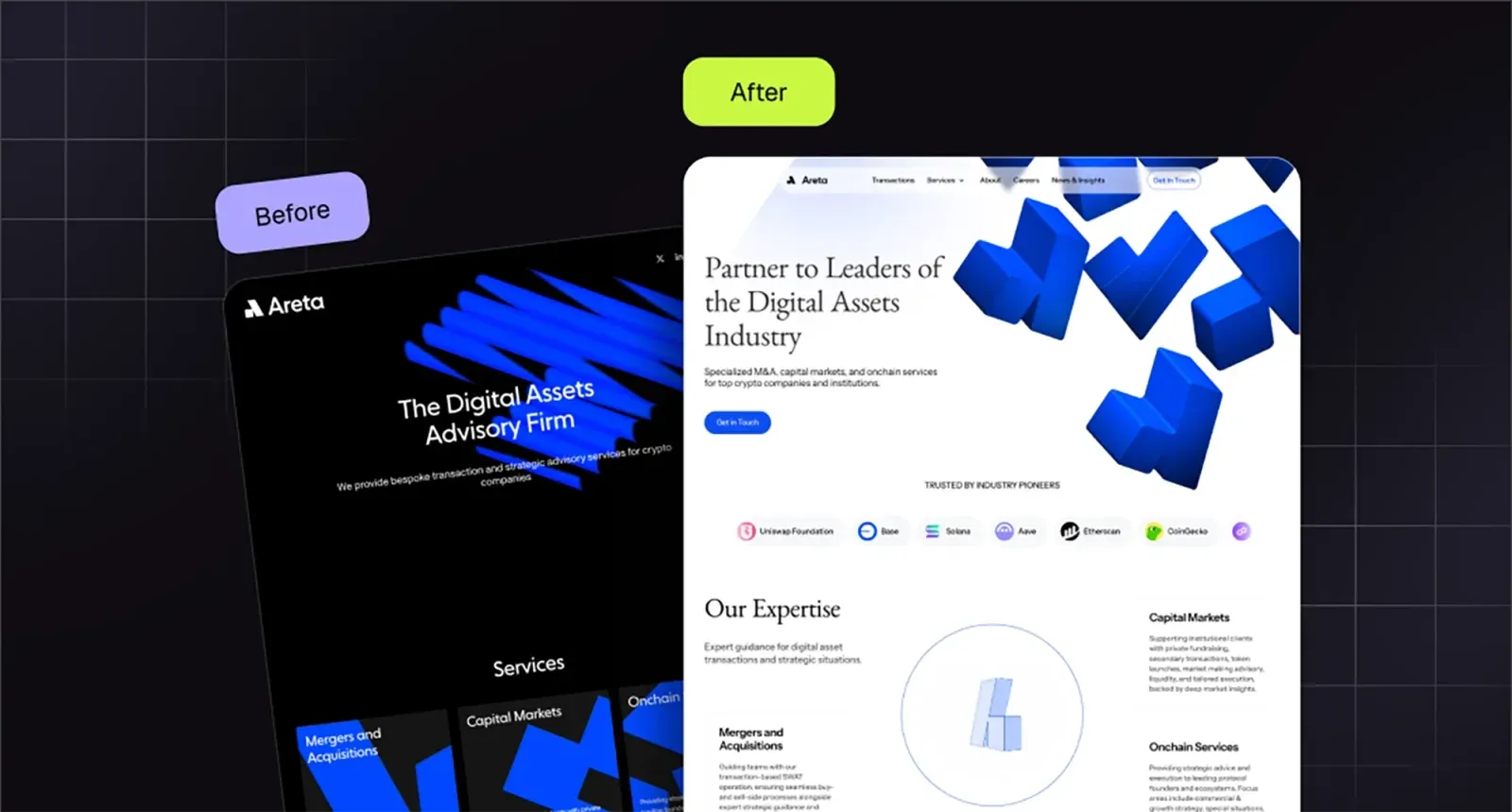
“Redesign” gets thrown around to mean everything from “we changed the button color” to “we rebuilt the entire site from scratch.” Let’s clarify.
A website refresh is surface-level. New colors, fonts, images, some layout tweaks—but same pages, same structure, same CMS. It’s a facelift.
You need it when:
- Your brand got updated (new logo, colors) and the site needs to match
- Design feels dated but the structure still works.
A website redesign is a comprehensive overhaul: structure, design, content, and often even the tech stack. You’re rethinking information architecture, rewriting copy, rebuilding templates, maybe migrating platforms. It’s surgery.
When do you really need it?
Do You Really Need to Redesign Your Website? 9 Signs to Check First
Before you commit to a full redesign, run through this diagnostic. If you’re checking 3+ boxes, it’s probably time.
1. Traffic and conversions are declining. Your bounce rate is climbing, time-on-site is dropping, and demo requests have plateaued. The site isn’t converting like it used to.
2. Your brand evolved but your site hasn’t. You’ve repositioned, raised a round, or expanded into new markets, but your homepage still talks about the old you.
3. Design looks dated and prospects notice. If your site screams “2019 gradient + stock photos,” you’re losing credibility before anyone reads a word.
4. Core Web Vitals are in the red. Slow load times, layout shifts, unresponsive pages and so on. If Google’s penalizing you, the users are bouncing.
5. Pages are a nightmare to update. Your team avoids touching the site because the CMS is clunky or the structure is a mess of hardcoded pages.
6. Information architecture makes no sense. Users can’t find your pricing, your product pages are buried, and key info lives in random places.
7. Mobile experience is broken. Half your traffic is mobile, but the site barely functions on a phone.
8. SEO has tanked. Rankings dropped after a platform migration or you’ve got duplicate content, broken links, and zero organic visibility.
9. Competitors redesigned and you look amateur by comparison. Perception matters. If everyone in your space looks polished and you don’t, prospects assume your product lags too.
Quick diagnostic: Screenshot your homepage. Show it to someone outside your company. Ask them: “What does this company do, and do they look credible?” If they hesitate, you have your answer.
How to Redesign Website Without Losing SEO

If your current site brings in any meaningful organic traffic, a redesign can feel like an open-heart surgery.
You don’t need to spend hours agonizing over SEO for website redesign. You just need a plan and the discipline to follow it.
1. Start with an honest SEO inventory
Before anyone opens Figma, figure out what’s working today.
This is the boring part, which is why most teams skip it and then ask on LinkedIn why their traffic fell off a cliff.
At minimum, pull:
- A list of all existing URLs
- Organic traffic and key keywords for those URLs
- Backlinks to your top pages
- Pages that drive conversions now (demos, sign ups, trials)
Use whatever stack you already have: Google Analytics, Search Console, Ahrefs, Semrush. Export it, throw it in a spreadsheet, and mark:
- Keep as is – these pages are working
- Keep but improve – traffic is there, conversions aren’t
- Merge – thin or overlapping content
- Kill – deadweight that no one visits and no one will miss
The goal here is to know where your SEO equity lives so you don’t casually murder it.
2. Map your old URLs to your new structure
This is the step that actually protects your rankings.
Once you’ve drafted your new sitemap, create a simple “old → new” map:
- Column A: current URLs
- Column B: new URLs (or “no replacement”)
- Column C: redirect type (most of the time, 301)
A few rules that save a lot of pain:
- If a page gets traffic or has backlinks, it needs a specific destination
- Don’t redirect everything to the homepage “for simplicity”
- Try to redirect to the closest matching intent. Old “/features” can go to “/product” if that’s the new equivalent
- Avoid long redirect chains. One hop if possible
If you’re changing URL patterns at scale (for example /blog/post-name becomes /learn/post-name), define those patterns explicitly so devs can implement them cleanly.
This mapping doc will be your friend on launch day.
3. Protect your on-page foundations
You don’t have to clone every title tag and heading from the old site. You do need to protect the intent.
For your key pages (home, product, pricing, features, top blog posts):
-
Copy out current:
- Title tag
- Meta description
- H1
- 2–3 important H2s
- Primary keywords the page ranks for
-
When you rewrite, keep:
- The same search intent (what people expect when they click)
- The same or very similar primary keyword
- Any phrases that clearly match how people search.
If your current title is “Workflow automation software for SaaS teams” and it ranks, don’t replace it with “Do more with less” because it looks cleaner in the design file.
4. Fix structure, don’t break it
A redesign is a good moment to fix messy information architecture. It’s also a great moment to accidentally hide all your high-intent pages.
When you plan the new structure, check:
-
Can a new visitor find:
-
What you do
-
Who it’s for
-
How it works
-
Pricing or “talk to sales”
in under 10-15 seconds?
-
-
Are your main commercial pages one or two clicks from the homepage?
-
Do you have clear category pages for content (not 300 random blog posts in a single archive)?
For blogs and resources, group them by themes your ICP actually cares about: “Founders,” “Security,” “Product teams,” “AI infra,” whatever maps to your product and sales narrative.
This helps users and also gives search engines clearer content clusters.
5. Use a staging environment properly
You need a staging site. You do not want that staging site indexed.
When you spin up the new site:
- Put it on a staging domain or subdomain
- Block indexing with noindex and/or password protection
- Make sure analytics and tracking are either off, or clearly labeled as staging so you don’t pollute data
On staging, run through a simple SEO QA:
- Check a few key URLs keep sane title tags and H1s
- Make sure internal links aren’t all pointing to staging URLs
- Test your planned redirects, if possible, on a staging config
- Run a crawler (Screaming Frog, Ahrefs, whatever you like) and see if anything looks weird
Think of staging as the dress rehearsal. This is where you want to discover the broken nav item that leads nowhere, not after launch when you’re pushing traffic there.
6. Launch, then watch the numbers
On launch day, you’ve got three jobs:
-
Turn on redirects
- Deploy the URL mapping you created.
- Spot-check your top 20–30 URLs in a browser and with a header checker to make sure they resolve as expected.
-
Submit the new reality to Google
- Update and submit your XML sitemap in Search Console.
- If you changed key pages, use “Inspect URL” and request reindexing.
-
Monitor the right metrics over the next 4–6 weeks:
- Organic sessions to your top landing pages
- Rankings for your core keywords
- 404 errors and soft 404s in Search Console
- Conversion rates (demo, trial, signup)
Some fluctuation is normal. A full redesign is a big change. What you don’t want is:
- Important pages returning 404s
- A huge spike in “page not found” hits
- Core pages getting de-indexed because Google can’t find them anymore.
If something falls off a cliff, don’t panic-rewrite the whole site. Track it back:
- Did the URL change without a redirect?
- Did the page lose important copy that answered a specific query?
- Is it now buried five clicks deep?
Fix the specific issue, then give it a bit of time.
7. Use redesign as a chance to actually improve SEO
Once the basics are safe, you can get ambitious.
A redesign is a great moment to:
- Create or improve high-intent pages you didn’t have before. For example, use cases, industry pages, comparison pages
- Clean up old content and merge the 10 “AI for X” posts that all kind of say the same thing
- Add internal links from your highest-authority pages to the ones that matter most for pipeline
- Upgrade key pages with better structure, FAQs, and real examples from your product
You’re already investing in the work. Use the momentum to come out of the redesign with a stronger content and SEO foundation than you had going in.
The Website Redesign Process for Startup Teams (Step by Step)
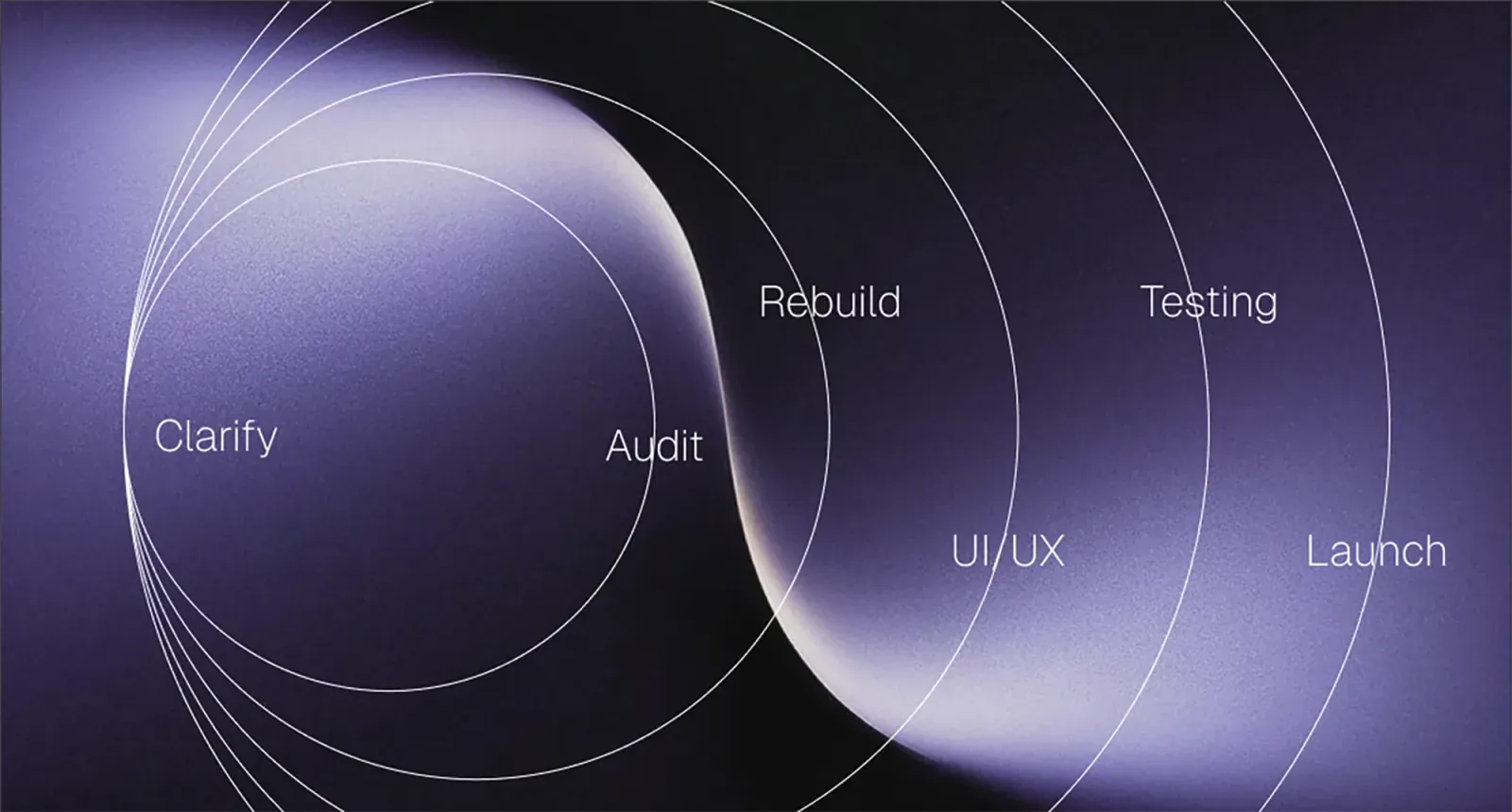
Most redesign processes online read like someone copy-pasted a project management textbook. But you don’t have six committees, three PMs, and a six-month runway to “align on a vision.”
Here’s the version founders and lean teams can actually use.
1. Clarify what success looks like
Before you redesign anything, agree on what “good” means.
A few prompts that cut through the noise:
- What should the site do better than it does today? (conversions, clarity, speed, credibility)
- What has to stay? (pages that already perform, narratives that clearly resonate)
- What absolutely must change? (messaging, navigation, visual quality)
- What’s the non-negotiable deadline?
- Who’s approving what? And please, make it one person, not eight.
A one-page alignment note is enough. This alone prevents 40% of redesign drama.
2. Audit what you already have
Think of this as unpacking your suitcase after a long trip. Half the stuff is still useful. Half needs to go. But you won’t know which is which until you actually look.
Your audit should cover:
- Content: what pages pull their weight, what’s outdated, what’s repetitive
- Messaging: does your site still describe what you actually do today?
- UX: where people drop off, what’s confusing, what requires too many clicks
- Brand: does the visual system look like a company at your stage?
- Performance: load speeds, mobile issues, broken components
- Technical: CMS limitations, dev constraints, anything that slows content changes.
If this feels overwhelming, try this simple test: have someone unfamiliar with your product narrate their experience as they click around. The things they struggle with will be painfully obvious.
3. Rebuild your information architecture
Start with three questions:
- What are the 3-4 journeys we want to support? (founders, buyers, users, investors, talent)
- What are the key pages each of those people need to see?
- What absolutely does not need to exist anymore?
From here, sketch a simple sitemap. Don’t overthink it. Your goal is clarity, not “clever.”
A few rules that keep things sane:
- Keep primary navigation short
- Keep core commercial pages one click away
- Group content in themes, not in a giant blog dump
- Avoid creating special snowflake layouts for every page. You do not need 14 templates.
At this point you should also have a clear sense of new pages you’ll need to write, and old ones that require serious editing.
4. Write your messaging before you design anything
This is where most teams do the sequence backwards. They open Figma, start changing colors, update a hero image, and then hope the copy will magically fit into the layout.
It won’t.
Write your core narrative first:
- What is the one-sentence version of what you do?
- Who is it for?
- Why should they trust you?
- What’s the product story?
- What’s the social proof?
- What’s the action you want someone to take?
You don’t need a polished, final copy yet. You do need the story. Here it’s me as a content writer agreeing with Tribe’s designers: it’s far easier for them to work around real words instead of lorem ipsum.
5. Move into UX and UI design
Now you can open Figma or allow your designers to do so.
Most guides will advise you to start with low-fidelity wireframes, but Yarik, our founder, is a firm believer that for a startup’s team, this phase often slows you down. Put real content into Figma and see how it looks and whether it works.
In any case, you should make decisions on:
- What goes above the fold
- How the navigation behaves
- Which components the site needs
- What sections carry the story
- How long the page should be
Once wireframes feel solid, move to UI.
If your brand is solid today, this part is straightforward. If your brand is shaky, the redesign will expose every crack. Maybe, you actually need to start with doing some branding for startups instead of just redesigning.
6. Build, test, and fix the things that break (something always does)
Development is where beautiful Figma files meet the harsh reality.
A few tips founder teams always appreciate:
- Build responsive states early instead of as an afterthought
- Test components with real content, not placeholders
- Avoid throwing custom animations everywhere just because the designer was in a mood
- Keep page weight under control. Speed is trust
- Use a CMS configuration that lets non-technical teammates update content without fear
Once the site is built, test it like a user, not a designer. That means:
- Clicking every link
- Filling every form
- Making sure buttons do the thing they claim to do
- Scrolling on a phone to see where layouts fall apart
- Checking that nothing “jumps” when loading
Sometimes it’s time to bring in someone outside the team for usability testing.
Fix everything that feels even slightly off. The small stuff is what makes a site feel premium.
7. Launch, monitor, iterate
Launching is not the end. It’s the midpoint.
Over the first month, watch:
- Organic traffic
- Conversions
- Scroll depth
- Time on key pages
- Support tickets or user complaints
- What sales hears from prospects
Then make small, targeted improvements.
Website Redesign Cost: What Startups Should Actually Expect

This is the part no one likes talking about because the range is so wide it sounds made up. And yeah, website redesign services searches can get you everything from $2,000 to $200,000. Both can be true. Both can also be terrible ideas depending on where your company is.
Let’s make this practical.
A redesign is basically a mix of four ingredients:
- Pages — how many you have and how many need rewriting
- Design complexity — custom components vs simple layouts
- Brand maturity — strong brands make marketing design and redesigns faster; weak brands slow everything down
- Development — your tech stack, CMS, integrations, and anything custom
With that in mind, here are the cost bands that actually make sense for startups.
1. DIY or Internal team
Cost: basically time
Timeline: anywhere from 6 weeks to “why are we still doing this in month nine”
This works only if:
- You have a designer who can own UX and UI
- You have a product marketing person who can write clear messaging
- You have a developer who won’t disappear into the woods the moment they see a CMS migration
2. Freelancer or small contractor
Cost: $5,000–$25,000
Timeline: 4–8 weeks
A freelancer is usually ideal for:
-
Light-to-medium redesigns
Updating visuals
-
Cleaning up layouts
-
Reworking a handful of templates
But you still have to project manage the whole thing.
3. Boutique website redesign agency
Cost: $20,000–$80,000
Timeline: 6–12 weeks
This is where most serious startup redesigns land. You get not only the redesign but also someone owning and managing the project.
It might not be cheap, but it saves founders the part no one accounts for: the mental load.
If you want to take the redesign off your mind completely, that’s your choice. (And Tribe’s right here for you, just saying.)
4. Large Agency
Cost: $100,000+
Timeline: 4–6 months
This makes sense if you’re:
- Pre-IPO
- Multi-product
- Operating in regulated spaces
- Carrying legacy systems that require specialized development
- Coordinating with legal, PR, marketing, product, compliance, security, and eight other teams
For most startups, this is unnecessary.
5. AI Website Builders (the newer addition)
Cost: $0–$200/month
Timeline: minutes to hours
AI tools are great for:
- Inspiration
- Generating starter layouts
- Simple sites
- Early landing pages
- Testing messaging variations quickly
AI is not great at:
- Complex navigation
- Founder-level brand nuance
- High-conversion UX
- Detailed product storytelling
- Anything enterprise, technical, or compliance-heavy
Treat AI as a drafting tool, not a replacement for a real redesign.
How to Choose a Website Redesign Agency (or Decide If You Even Need One)
Most redesign failures come from going with the wrong website redesign service provider.
Do you actually need outside help?
Bring in a partner if:
- Your designer is absorbed in product work
- Your PMM is already juggling ten narratives
- Your dev team looks physically pained at the idea of a CMS migration
- You need this live in weeks, not quarters
- You don’t want to PM a design project on top of your real job
What actually matters when evaluating a website redesign company
- They understand startup pace.
- They can handle strategy + content, not just visuals.
- They can build systems, not one-offs.
- They reduce cognitive load, not increase it.
- They actually communicate.
Website Redesign FAQs

Still have some questions on how to redesign a website?
How long does a website redesign take?
For most startups: 4–10 weeks.
Shorter if your scope is tight and you’re decisive. Longer if you’re rewriting everything, rebuilding IA, or doing a brand update at the same time.
A good rule: the moment feedback gets vague (“it just needs more energy”), add two weeks.
How often should you redesign your site?
Usually every 12–24 months.
Not because design trends change. Because you change. Your product evolves, your ICP shifts, your positioning matures — eventually the site stops telling the truth about who you are.
When that happens, it’s time.
Website Redesign Guide & Checklist (Founder Edition)
Here’s the sanity-saving version of a redesign checklist.
Before you start
- Align on the real goal of the redesign.
- Confirm who approves what.
- Write a one-page brief so no one “remembers the project differently” two weeks later.
- Take inventory of all existing pages, traffic, rankings, and conversions.
- Screenshot the current site for reference (and for future comedy).
Strategy + structure
- Define the 3-4 core user journeys you’re designing for.
- Map the new sitemap and remove anything no one needs anymore.
- Decide which pages are being rewritten, merged, or retired.
- List pages that need fresh messaging before design begins.
Content + messaging
- Draft the key narrative: what you do, who it’s for, why it matters.
- Write rough copy for the homepage, product pages, and pricing.
- Collect all testimonials, proof points, and stats in one place.
- Confirm what’s legally required (security statements, compliance notes, etc.).
Design
- Approve wireframes before touching visuals.
- Finalize hero sections early so the rest of the site flows from them.
- Lock in your component system — buttons, cards, form fields, layouts.
- Get mobile done alongside desktop, not after.
Development
- Choose a CMS your team can actually use without panic.
- Set up a proper staging environment (shielded from indexing).
- Build with real content, not lorem ipsum.
- Test every component for edge cases: long titles, short titles, missing images, odd screen sizes.
Check out our dedicated article if you want to know more on how website design and development work.
SEO + launch prep
- Build your redirect map (old → new).
- Carry over important metadata: titles, H1s, structured sections.
- Check internal links aren’t broken.
- Load-speed test the major pages.
- Confirm all forms work and notifications go to the right people.
Launch day
- Deploy redirects.
- Push the new sitemap to Google Search Console.
- Crawl the site once more to catch stray 404s.
- Click everything like a suspicious raccoon.
Post-launch (first 30 days)
- Watch ranking changes for key pages once a week.
- Track conversions and on-page behavior.
- Fix issues early — spacing glitches, broken images, missing CTAs.
- Update content based on what users actually do, not what you hoped they’d do.
This checklist fits on a single Notion page. It also saves you from the classic “I thought someone else was handling that” problems that make redesigns spiral.
If you feel you need some help from website redesign specialists, we’re here. Get in touch with us and save yourself quite a lot of headache!
More on website design and development
 Website design and developmentFintech App Design for Startups: How to Build Trust Without Slowing the Product Down
 Website design and developmentGamification in eLearning: What Actually Works for Engagement and Retention
 Website design and developmentStartup Homepage Design: The Structure Early-Stage Founders Actually Need